
The King Exchange App, Honestly Explained: Download, Setup and Daily Use
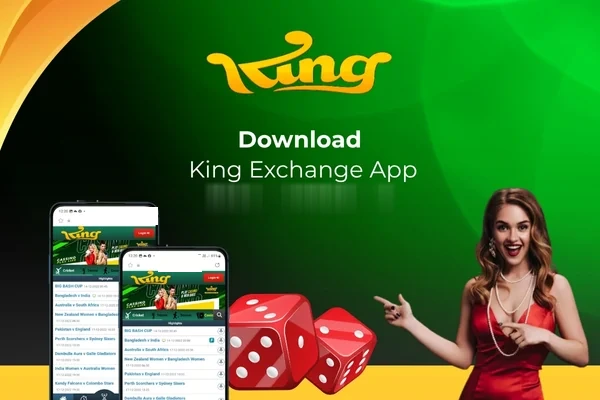
Almost every King Exchange player ends up playing on a phone, whatever device they signed up on. Matches are watched on the move, bets are checked in spare minutes, and the screen within reach is the one that gets used. That leaves most players with a practical choice rather than a technical one: keep using the mobile browser, or install the app and give the platform a permanent home on the phone.
This page answers that choice without sales talk. It compares the app and the browser on what actually differs, explains where the download safely comes from and why that route is deliberate, walks through installation on Android, and covers what iPhone users should do instead. If you finish reading and decide the browser suits you fine, that is a perfectly good outcome — the account, the markets and the wallet are identical either way.
One thing this page will not do is drown you in technical detail. Nothing about using the app requires special knowledge, and the few habits that genuinely matter — where the file comes from, keeping it updated, looking after the phone it lives on — are simple enough to become routine after the first week.
The app is not hosted on this page. The support team shares the current official link so you never install a fake copy.
App or Mobile Browser? An Honest Side-by-Side
Start with what does not change, because it is most things. Your ID, balance, bet history and account settings are stored on the platform, not on your phone, so both routes open the same account with the same markets at the same prices. A bet placed in the browser is visible in the app a minute later, and nothing needs to be moved, synced or converted between the two.
The real differences are about friction. The app sits on your home screen, opens directly into your account area and keeps you signed in between visits, so the distance from thinking about a match to seeing its market is a couple of taps. The browser asks a little more of you each time — opening the tab, waiting for the page, signing in again if the session has ended — but it asks nothing of your phone: no installation, no storage used, and it works on any device you pick up, including someone else's in an emergency. Occasional players lose nothing in the browser. Daily players usually end up preferring the app for no grander reason than that small daily saving of effort.
- Same account, wallet, markets and prices on both routes
- The app keeps you signed in and opens straight into your account
- The browser needs no installation and works on any phone
- Switching between the two at any time costs nothing and changes nothing
What the App Is Genuinely Good At
The app's strength is speed of return. Live betting rewards players who can check a market while a match is turning, and the app removes the small delays that pile up in a browser session — the extra page loads, the signed-out screen, the hunt for the right tab among twenty others. Everything is arranged for a small screen from the start, with the bet slip, your open bets and your balance reachable without menus getting in the way.
It also behaves better as a daily companion. Notifications can bring settled results and account updates to your attention without you opening anything, and the layout stays consistent from visit to visit in a way browser pages, squeezed into different tab sizes, sometimes do not. None of this makes the app a different platform or a better set of odds. It is the same platform wearing a better-fitting coat, and for anyone who plays most days, that fit is the whole argument.
There is a smaller benefit that players mention often: separation. Inside the app, betting is its own self-contained space rather than a few tabs mixed into a browser full of news, shopping and messages. Open bets are easier to keep track of, distractions are fewer, and closing the app at the end of a match feels like a natural stopping point — a modest thing that quietly helps people stick to the limits they set themselves.
Why the Download Link Only Comes From Support
Players sometimes ask why the app is not simply waiting in the usual places with a public download button for anyone. The short answer is control. When the only genuine copy of the app travels from the support team to the player, the team knows exactly which file is in circulation — and a betting app is not a harmless thing to get wrong, because it is a door into an account that holds money.
Fake copies are the predictable problem. Betting brands are imitated constantly, and a look-alike app can be built to do one job: present a familiar login screen and quietly send whatever is typed into it to somebody else. Files passed through forwarded messages, video descriptions and unfamiliar download sites are how those copies spread. Taking the extra minute to ask support for the link is not an inconvenience built into the process — it is the process working as intended, and it is the cheapest account protection you will ever get.
Installing on Android, Step by Step
Android installation is a short sequence, and none of it requires technical confidence — just follow the order below and do not skip the first step, because the source of the file matters more than anything that comes after it. Before you begin, make sure you are connected to a network you trust and that the phone has room for the installation to complete.
- Message the support team on WhatsApp using the button on this website and ask for the current app download link.
- Open the link on the Android phone you want to use, and let the app file download fully before touching it.
- Open the downloaded file and begin the installation.
- If the phone asks permission to install from this source, grant it for this installation — the prompt is standard Android behaviour for files received this way.
- Wait for the installation to finish, then open the app from your home screen or app drawer.
- Sign in with your existing King Exchange ID and password, and confirm your balance and open bets look as expected.
- Delete the downloaded installation file afterwards if you wish; the installed app does not depend on it.
On an iPhone? Use the Browser — It Is Not a Consolation Prize
The guided download route described on this page is an Android route, so iPhone users should treat the mobile browser as their main way to play rather than hunting for an installation file that is not meant for their phone. Any site or message offering an iPhone app file for King Exchange should be viewed with suspicion for exactly the fake-copy reasons covered above.
In practice, iPhone players give up very little. The mobile site carries the same markets, wallet and account tools, and a home-screen shortcut closes most of the convenience gap: open the site in your browser, use the share menu to add it to your home screen, and the platform gains its own icon and opens in a clean, full-screen view. From that moment, reaching your account on an iPhone feels much like opening an app, with no installation risk taken along the way.
Keeping the App Updated Without Thinking About It
An app is not a fit-and-forget object. The platform changes, phones change, and the app is revised to keep pace with both — updates carry fixes for faults found under match-day load, adjustments for newer phone software, and small improvements to how markets refresh and display. A very old version left untouched can gradually become the slowest, least reliable way into your own account.
The habit to build is simple: when the support team announces a newer version or the app itself prompts you, take the update through the same official route you used originally rather than through any pop-up or message that happens to mention one. Your account is untouched by the process, because everything that matters lives on the platform. Update, sign in again if asked, and your balance, history and settings are exactly where you left them.
Small Habits That Keep the App Running Smoothly
Most app complaints trace back to the phone rather than the platform, and most yield to basic housekeeping. A nearly full storage, a browser and app cache swollen with months of leftovers, and a weak connection in a crowded place will make any live product feel sluggish — prices seem slow because the phone is slow, not because the market is.
Three small habits cover most of it. Keep some free space on the device instead of running it completely full, and restart the phone occasionally rather than leaving it on for weeks, since both keep the system responsive. Clear the app's cache if pages start behaving oddly, which removes temporary clutter without touching your account. And when a live match matters to you, prefer a stable connection — home Wi-Fi or a strong mobile signal — over a congested public network, because live prices are only as fresh as the connection carrying them.
- Leave some storage free instead of filling the phone completely
- Restart the phone from time to time to keep it responsive
- Clear the app cache if screens start behaving strangely
- Use a stable connection for live, in-play markets
- Keep the app itself updated through the official route
Frequently Asked Questions
Is the app compulsory, or can I stay on the browser forever?
Entirely your choice, and staying on the browser costs you nothing in account terms. The markets, prices, wallet and history are the same either way, because they live on the platform rather than in the app. The app only removes small daily frictions — signing in repeatedly and opening the site each time — so it suits frequent players more than occasional ones.
A friend sent me the app file directly. Can I install that copy?
Do not, even when the friend means well. A file passed hand to hand cannot be verified, and fake copies of betting apps are built to steal login details through a familiar-looking screen. The safe copy takes only a moment longer: ask the support team on WhatsApp, through the button on this website, and install the link they give you.
The installation will not finish on my Android phone. What usually causes that?
The common causes are ordinary ones: the download did not complete, the phone is short of storage, or the permission prompt for installing the file was dismissed instead of accepted. Free some space, download the file again from the link support gave you, and watch for the permission prompt during installation. Restarting the phone before a second attempt also clears out whatever half-finished state the first attempt left behind. If it still fails, tell support your phone model and where it stops, and they will work through it with you.
Will updating or reinstalling the app affect my balance or bets?
No. Your balance, open bets, history and settings are held against your account on the platform, not inside the app file on your phone. After an update or a fresh installation you simply sign in with the same ID and password, and everything is presented exactly as it was before.
Does the app show different prices from the website?
No. Both read from the same markets, so a price you see in the app is the price on the website at that moment. If figures ever look different between two screens, the usual explanation is timing — one screen refreshed a moment after the other during a fast-moving match — rather than any difference between the products.
Can I use the same account on the app and on my computer?
Yes. Your ID works across the app, the mobile browser and a computer, and actions taken on one appear on the others because everything is recorded against the account itself. Many players watch markets on a bigger screen at home and check results in the app while out, without any setup or transfer between the two.
Ready When Your Phone Is
If the app sounds like your way of playing, the next step takes a single message: ask the support team on WhatsApp, through the button on this page, for the current download link, then follow the Android steps above. And if you are on an iPhone or simply prefer the browser, add the site to your home screen and carry on — your account works exactly the same either way.
Contact King Exchange Support on WhatsApp